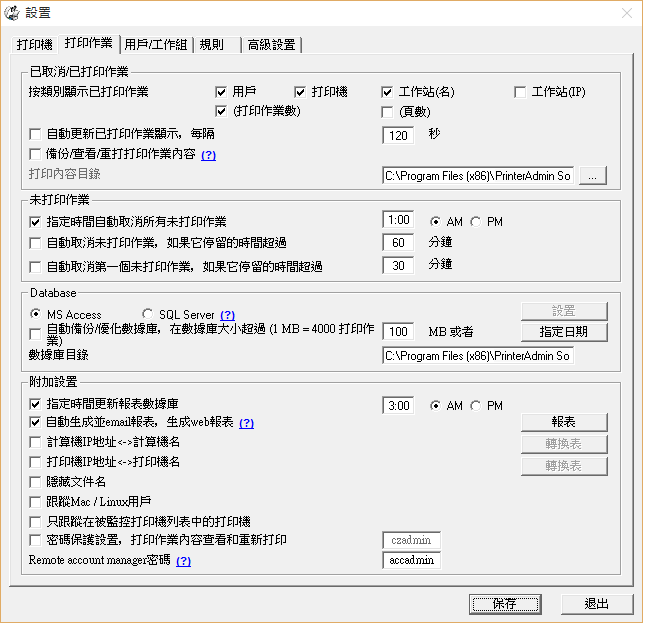
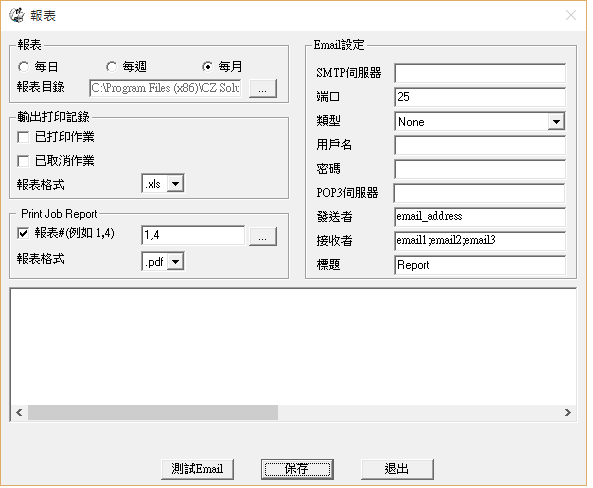
在線演示 -- 創建,查看和發送報表

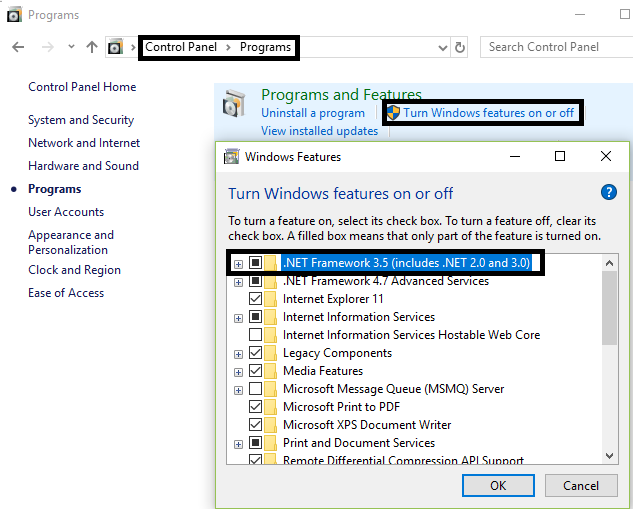
第1步。啟用“.NET
Frameworks 3.5(包括.NET 2.0和3.0)”功能。
1.1。 單擊Windows開始,然後單擊控制面板
1.2。 單擊程序,然後單擊程序和功能
1.3。 單擊“打開或關閉Windows功能”
1.4。 選擇.NET
Frameworks 3.5(包括.NET 2.0和3.0)
1.5。 單擊“確定”並關閉“程序和功能”窗口
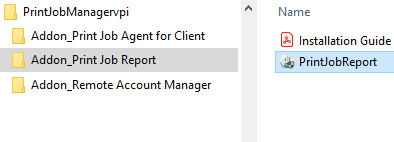
第2步。雙擊“PrintJobReport.exe” 安裝“Print Job Report”。
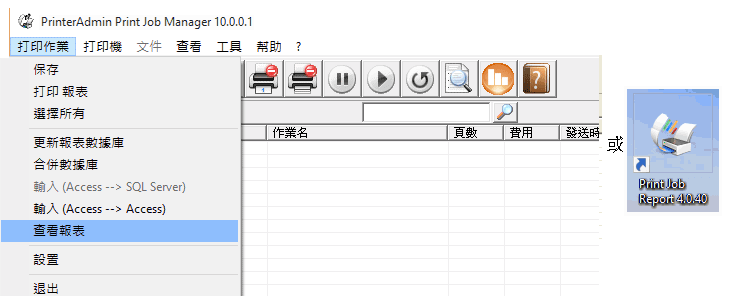
第3步。點擊菜單“打印作業” ->“查看報表” 或雙擊桌面快捷鍵“Print Job Report“ 運行”Print Job Report“並連接到默認數據庫C:\Program Files\PrinterAdmin Software\Print Job Manager\PrintSaver.mdb來創建報表。
注:“Print Job Report” 可以自動創建報表。報表也可以通過電子郵件發送給您。在設置-> 打印作業,選擇“自動生成並email報表,生成Web報表”,單擊“報表”。